

Create an FTP Account
Create an FTP account for your website.
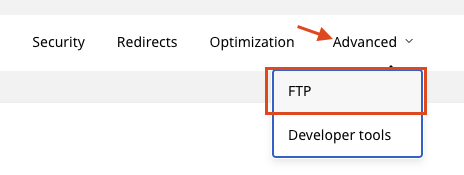
Step 1: Open FTP
From the Advanced menu, select FTP.
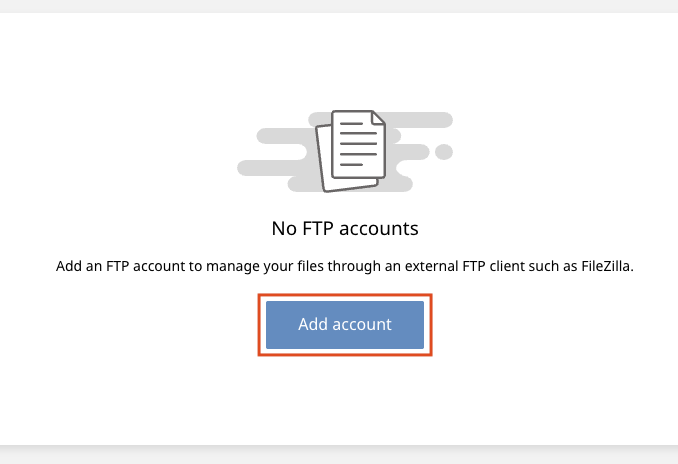
Step 2: Add an account
Click Add account.
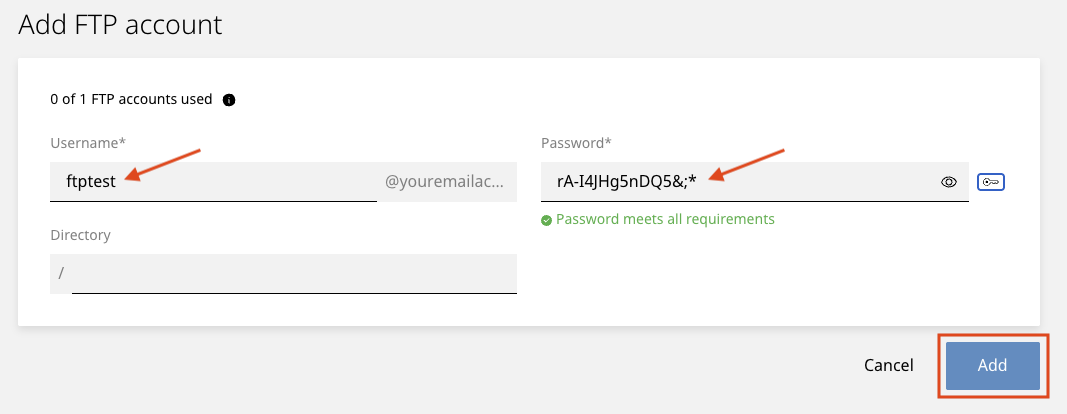
Step 3: Enter a username and password
Enter a Username and Password.
Click Add.
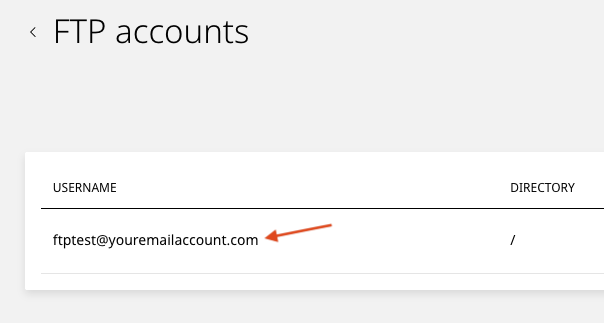
Step 4: Note your FTP login
Your FTP user account is an email address.
Step 5: Ask us to allow your IP address
We only let whitelisted IP addresses reach our FTP server. Please contact our support team for help.