Data Loss Prevention (DLP)
What DLP is and what to do when it holds back an email that has a credit card or social security number.
Data Loss Prevention (DLP) is a security feature that comes with your service. It runs in the background on all email addresses.
DLP scans every outgoing message to check that social security numbers and credit card numbers are protected. If it finds one in an unprotected message, it quarantines the message, emails the sender, and asks whether to send it with encryption, release it as is, or delete it.
It is a safety net so nobody accidentally sends a credit card number or social security number without protection. You may never notice it if your company does not send those numbers by email.
If you get a ***Data Loss Prevention Triggered*** email
Step 1: Read the quarantine email
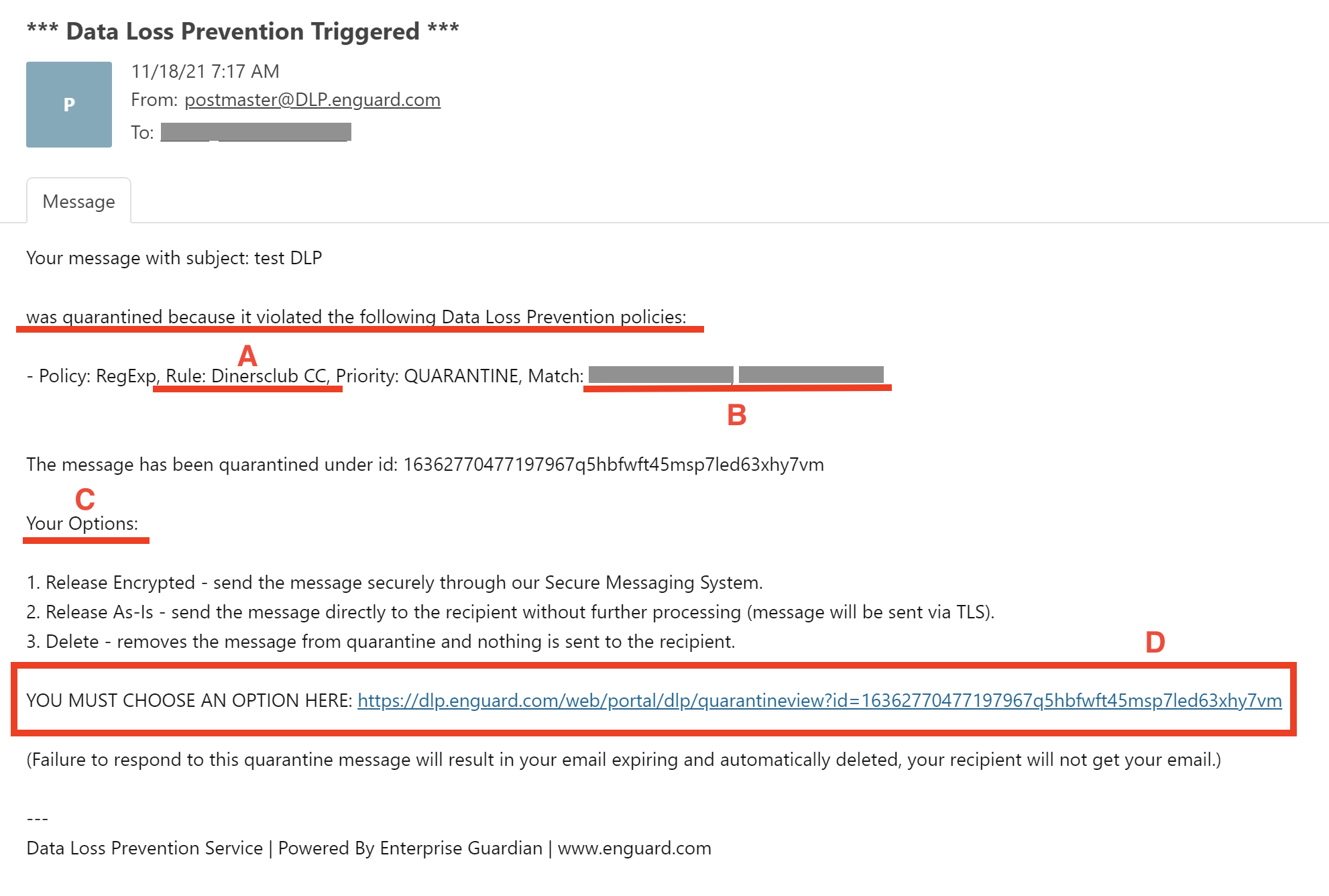
Read the DLP quarantine notification carefully. Below is an example.
- This is why your message was quarantined.
- This is the credit card or social security number that triggered DLP.
- These are your three options for the message.
- Click the link to choose your option.
Step 2: Choose what to do
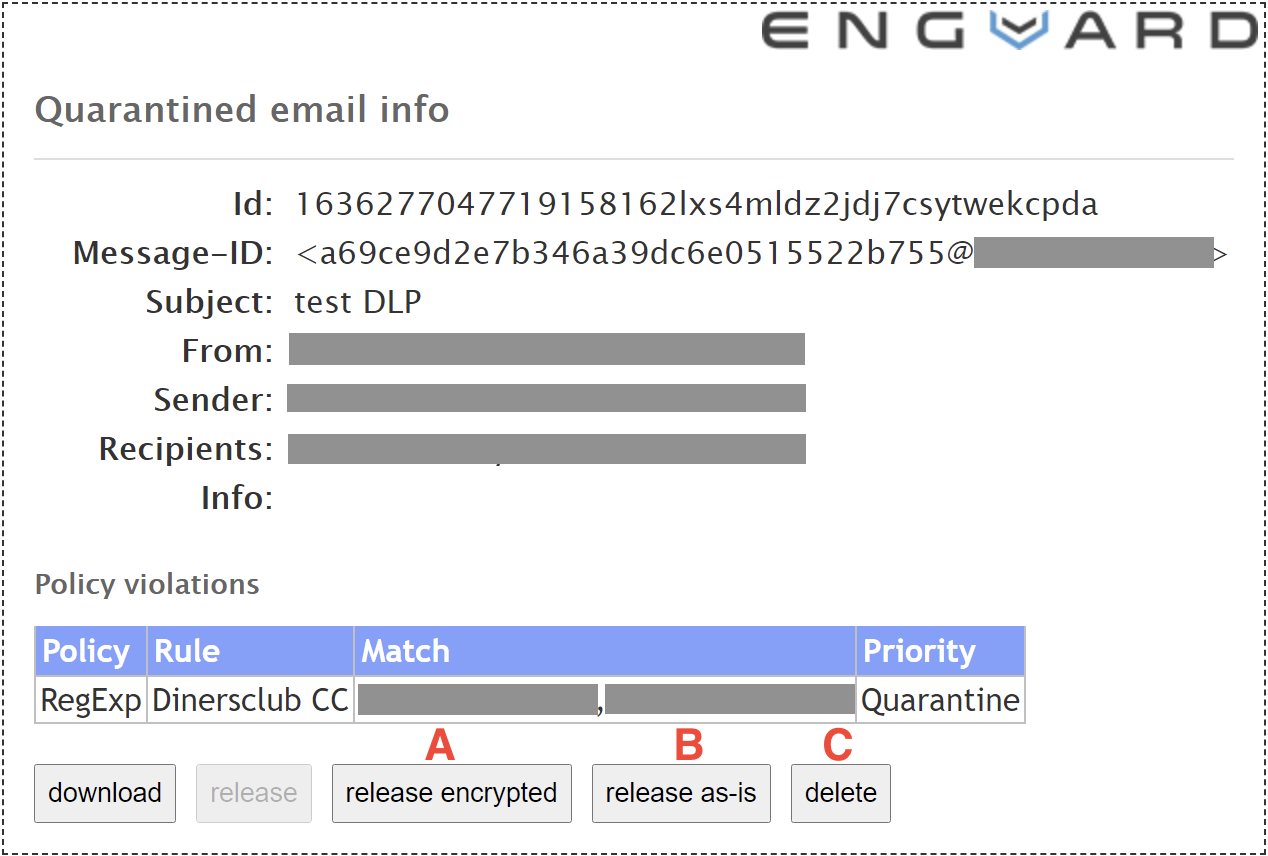
Click the button for one of the three options:
- release encrypted
- release as-is
- delete
If you do not choose, the message eventually expires and is deleted automatically. Deal with DLP quarantine emails as soon as you can. Senders get these emails right after a violation happens.
Step 3: Check the confirmation
You see a confirmation message based on what you chose. In this example, we clicked delete.