MAC Audio and Video issues
Fix audio and video problems in online meetings when someone is on a Mac.
If anyone in the meeting is on a Mac and you have audio, video or connection problems, that Mac user needs to change their Local Network settings.
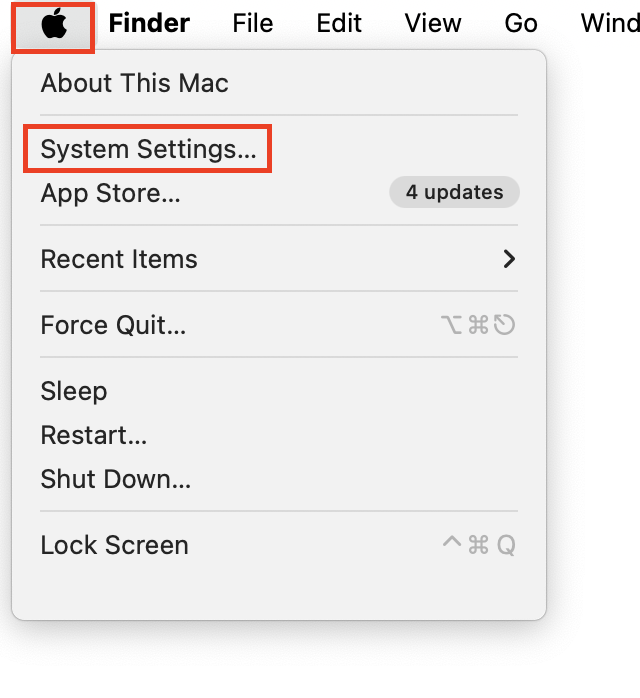
Step 1: Open System Settings
Click the Apple menu in the top left, then click System Settings.
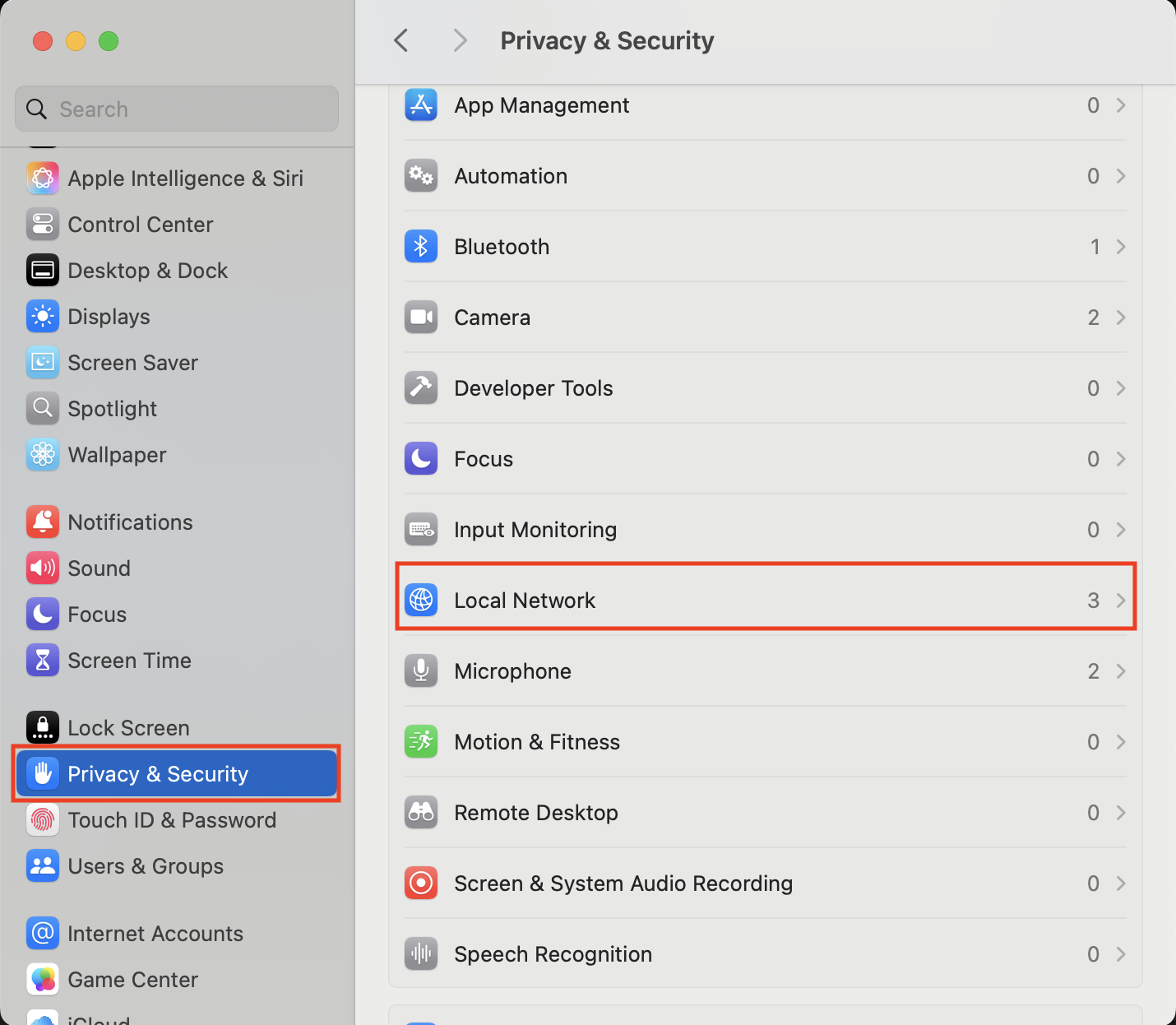
Step 2: Open Local Network
Scroll down and click Privacy and Security, then click Local Network.
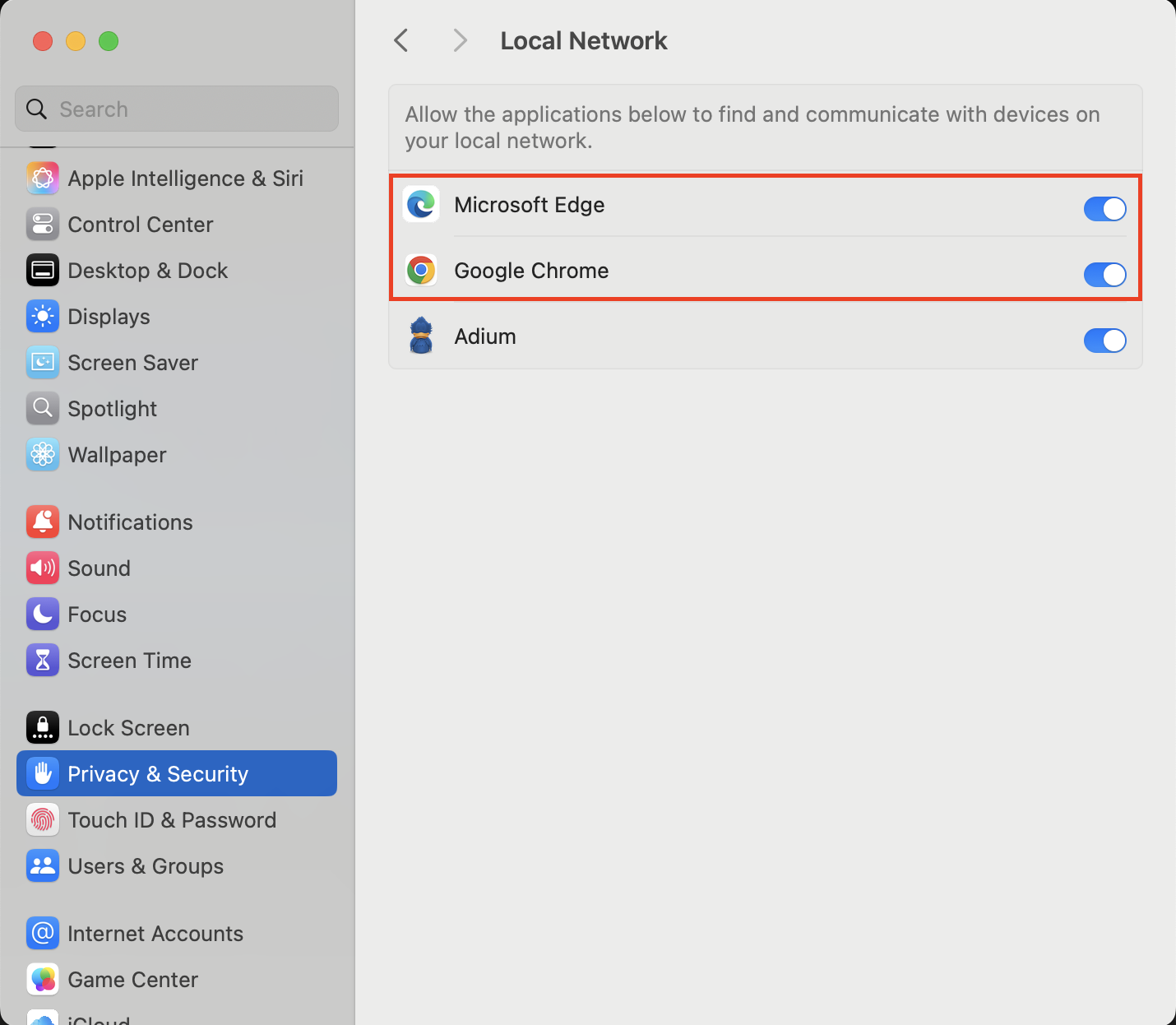
Step 3: Turn on your browser
Find the browser you use and turn its toggle on.