Send an Email to a Contact Group / Mailing List
Make a contact group (mailing list) and email everyone in it at once.
A contact group is an easy way to send one email to many people at once. You can add internal users and outside recipients.
Part 1: Create the group
Step 1: Start a new group
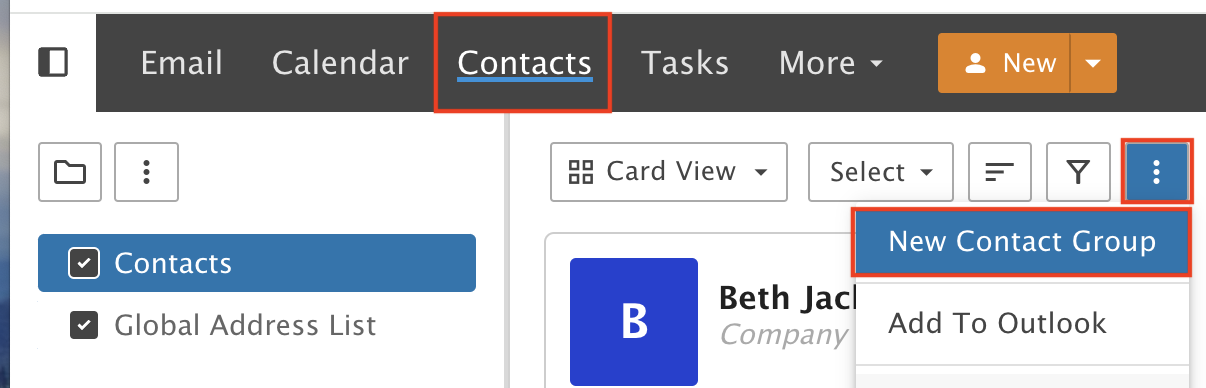
In the Contacts section, click the Actions icon on the right and select New Contact Group from the drop-down.
Step 2: Name the group
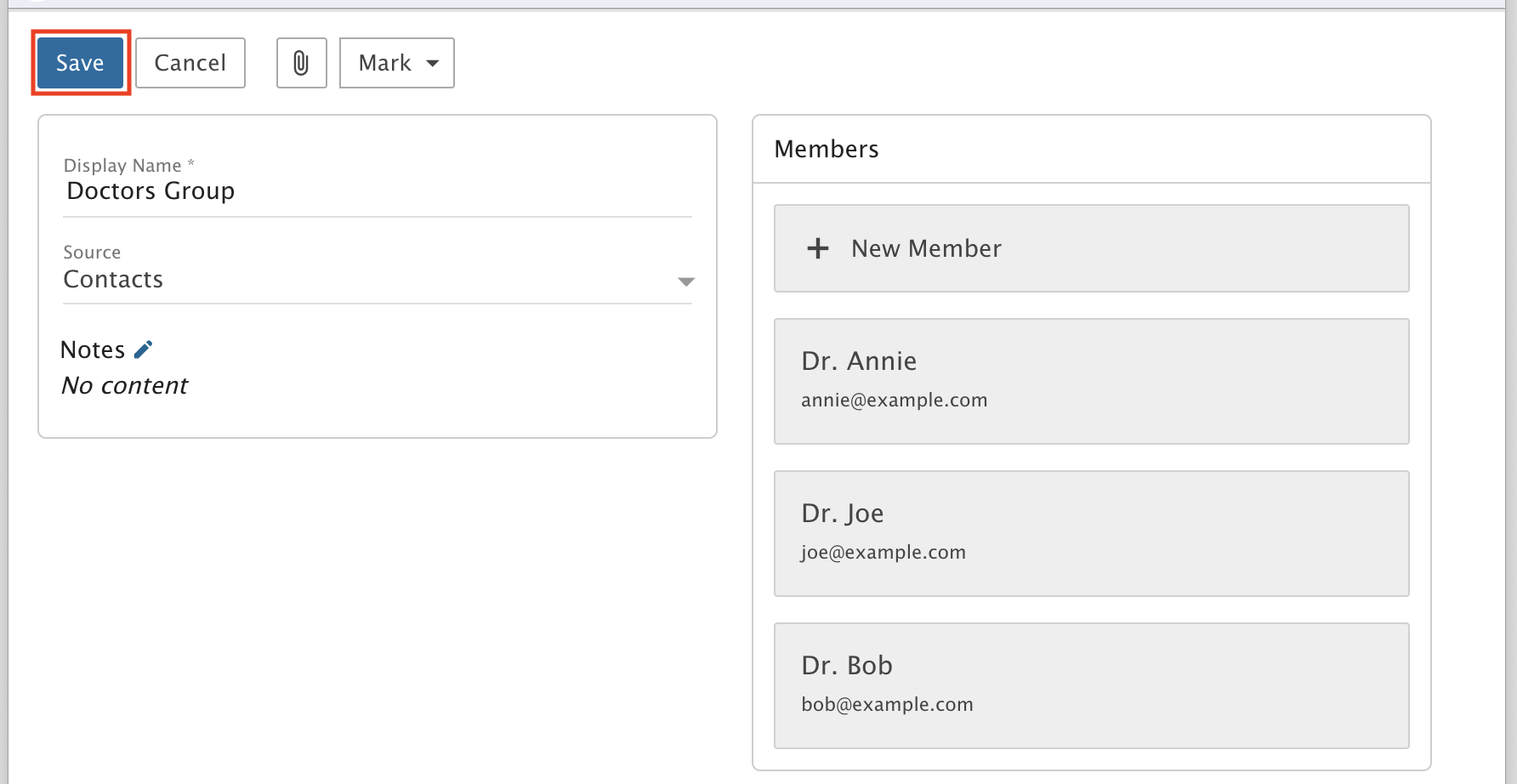
Give the group a name and add members.
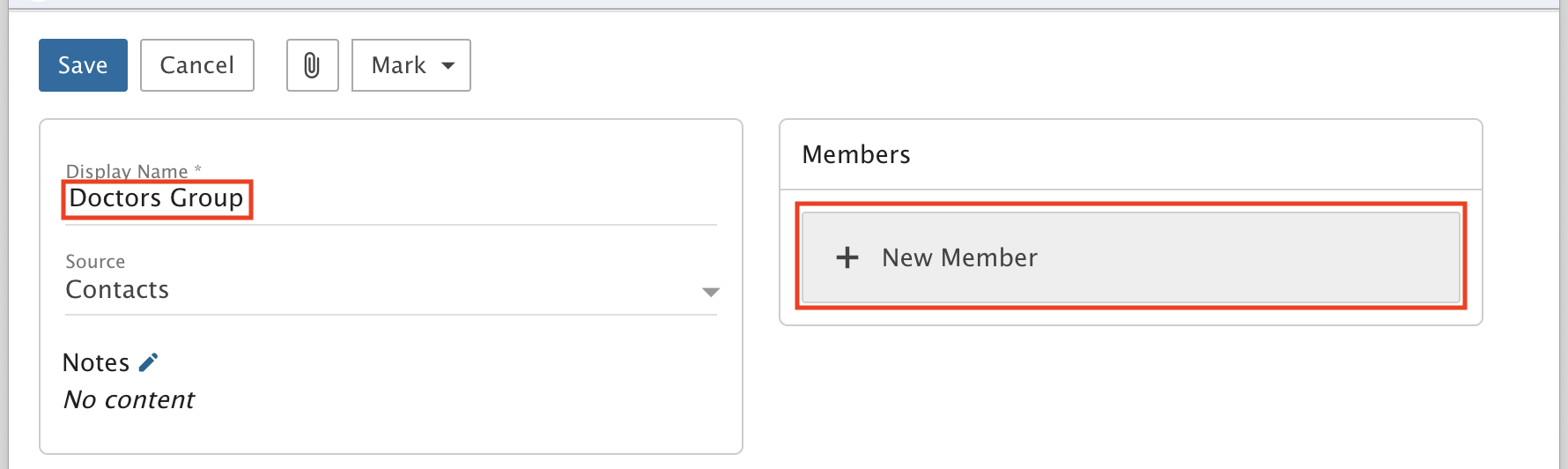
Step 3: Add the members
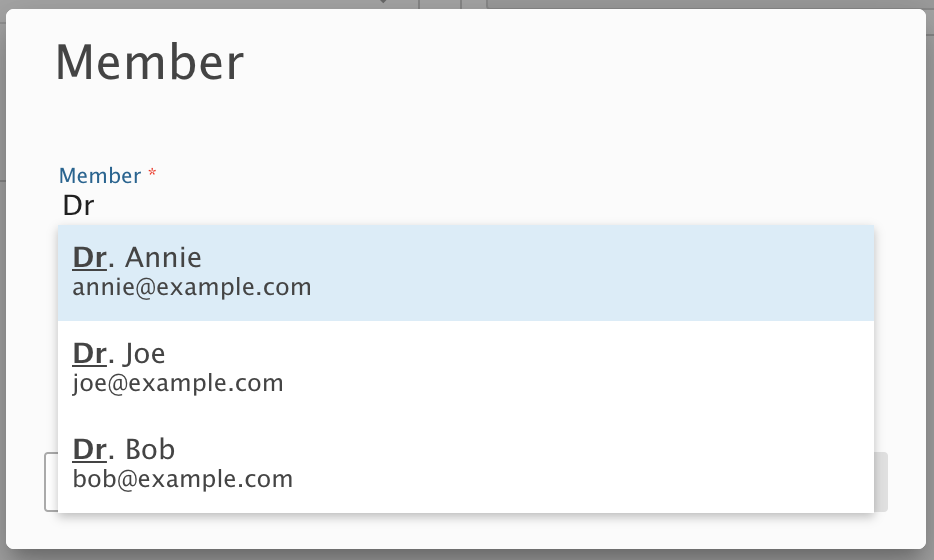
Type the name of each contact, select the contact and click Save. Repeat for every contact you want in the group.
Step 4: Save the group
When you are done, click Save.
Step 5: Check your group
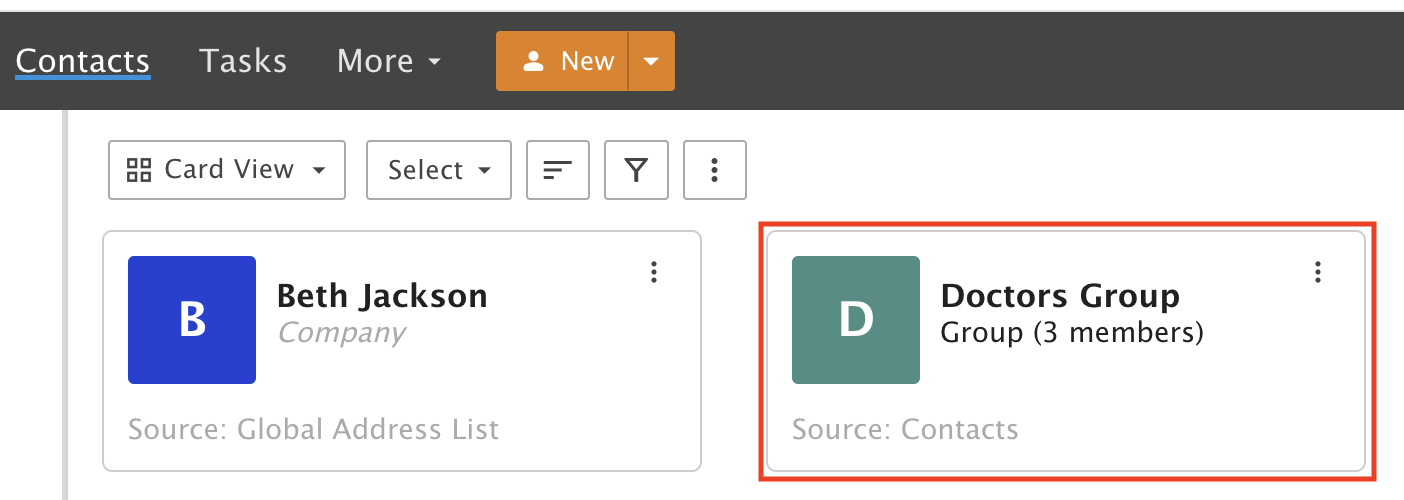
You now see the Group you just made.
Part 2: Email the group
Step 6: Start a message
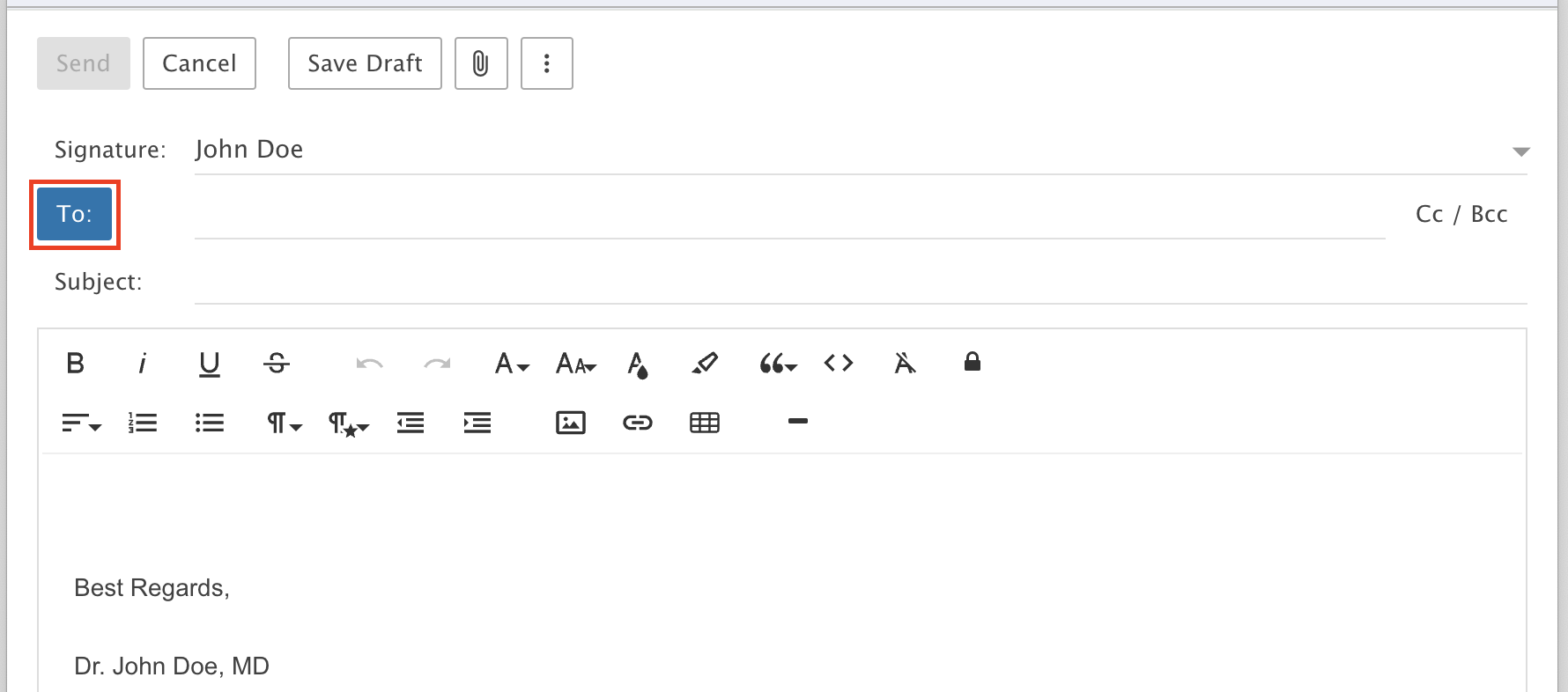
Write a new message and click the To icon.
Step 7: Pick the group
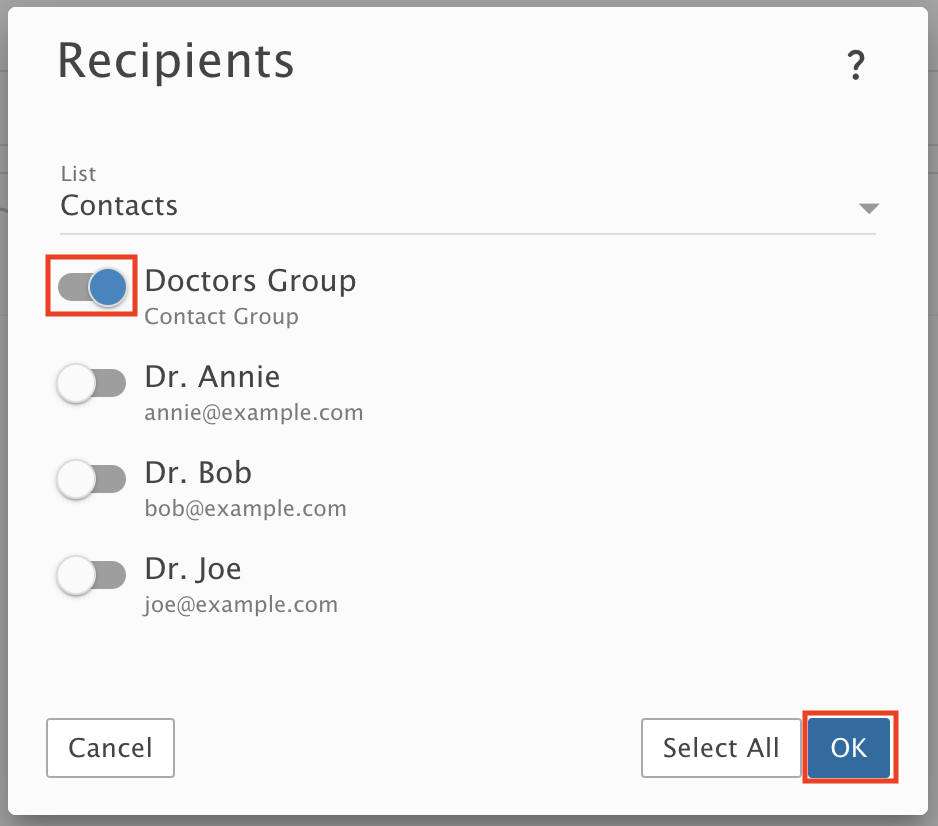
Select the Group by clicking the toggle next to it, then click OK.
Step 8: Send
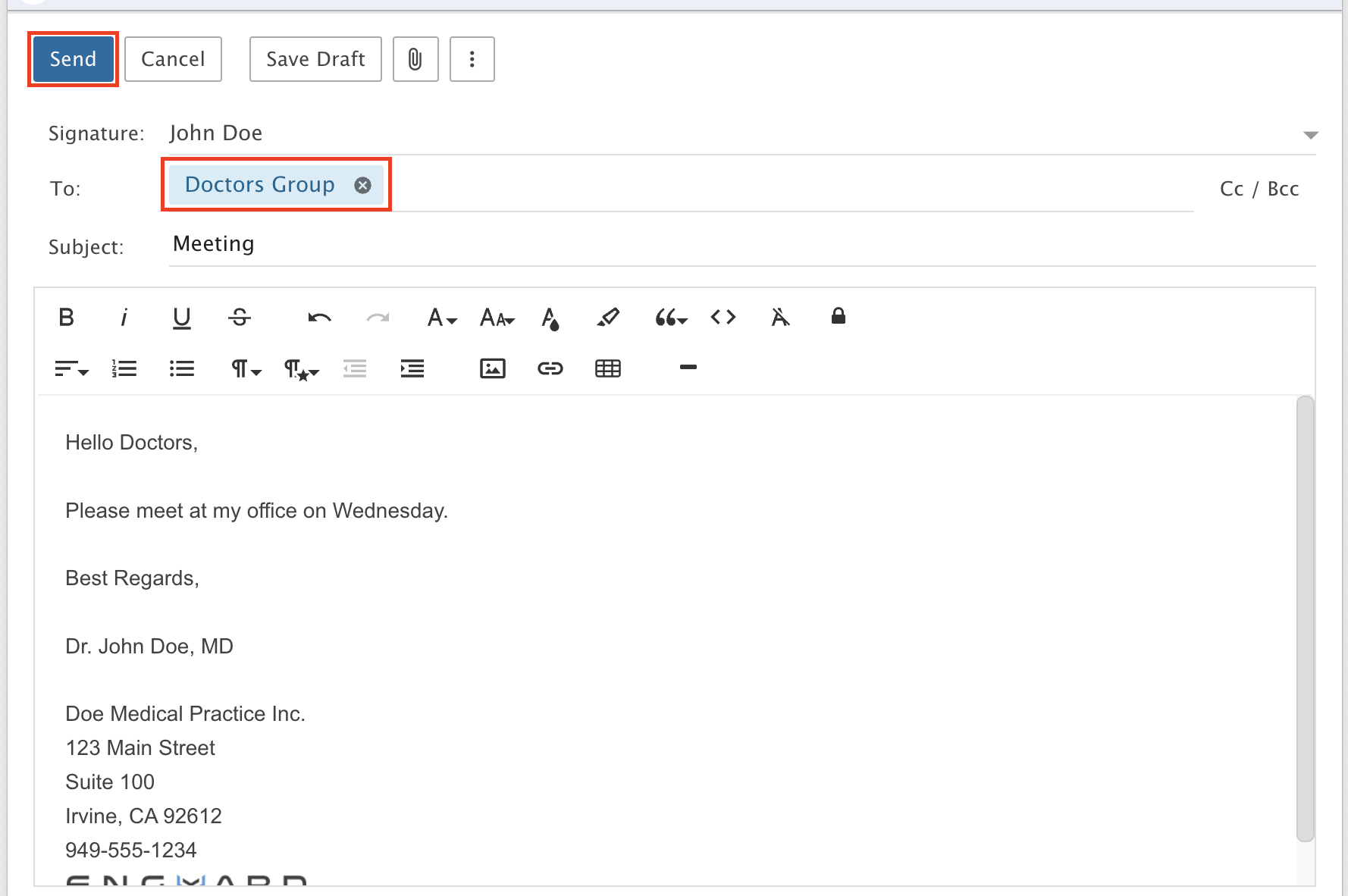
The To field fills in automatically. Write your message and click Send.